~/blog
From Raw Text to Reasoning Conversations: Building a Robust Data Pipeline for LLM Fine-Tuning
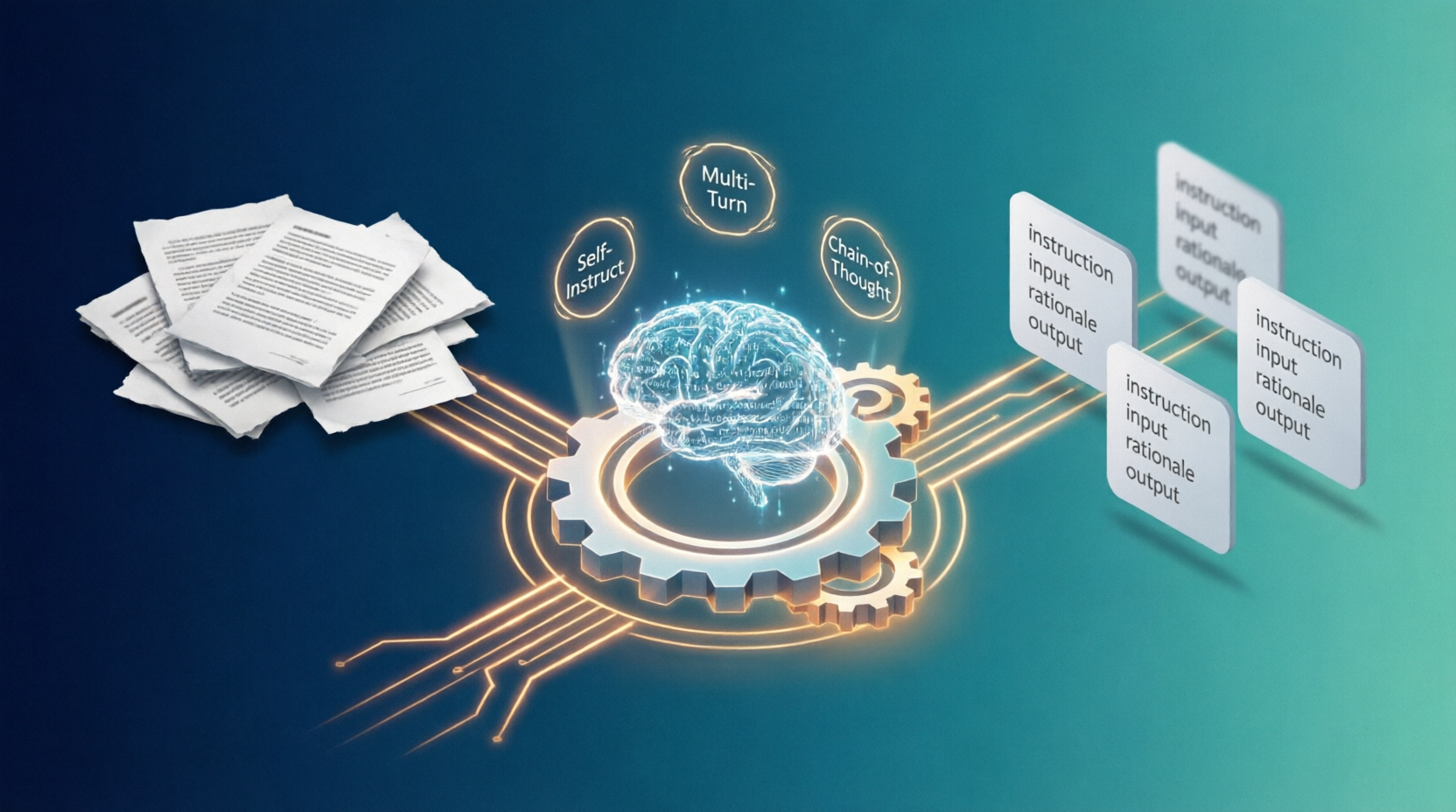
1. Introduction: The Secret Sauce Behind Every Fine-Tuned LLM
Let’s start with a truth that every machine learning practitioner learns the hard way: the model is only half the story. The other half—often the decisive half—is the data you feed it. You can have the fanciest architecture in the world, but if your dataset is messy, repetitive, or just plain boring, your fine-tuned language model will mirror every one of those flaws.
When we talk about “LLM fine-tuning,” we’re really talking about shaping a raw foundation model into a specialist that can hold natural conversations, follow instructions precisely, and reason through complex problems. To get there, you need conversational data that doesn’t just look good on a spreadsheet—it needs to feel alive. It needs to carry the nuance of real human dialogue, the logical rigour of step‑by‑step reasoning, and the domain expertise your use case demands.
The good news? You don’t need a million-dollar labelling budget or an army of human annotators to build such a dataset. A whole ecosystem of techniques, tools, and research papers has emerged over the last couple of years that lets you bootstrap high‑quality conversational data from nothing more than a handful of seed examples and a decent teacher LLM (think GPT‑4, Claude, or a powerful open‑source model).
In this post, I’m going to walk you through exactly how to build a pipeline that takes raw text—or just your initial ideas—and turns it into structured, multi‑turn, reasoning‑rich datasets suitable for fine‑tuning your own LLM. We’ll start with the basics of single‑turn instruction data (à la Stanford Alpaca) and gradually level up to crafting coherent, multi‑turn dialogues and embedding chain‑of‑thought reasoning. I’ll also show you how to integrate production‑grade tools like NVIDIA’s NeMo Data Designer, and share the research insights that can save you from common pitfalls.
Whether you’re building a medical chatbot, a code assistant, or a creative writing partner, by the end of this guide you’ll have a repeatable playbook for generating the conversational fuel your model needs to truly shine.
2. The Anatomy of a High‑Quality Conversational Dataset
Before we dive into generation, let’s be crystal clear about what “good” looks like. A high‑quality conversational dataset for fine‑tuning isn’t just a random dump of chat logs. It’s carefully structured and thoughtfully composed.
At the most basic level, you’ve got single‑turn examples: one user instruction, one assistant response. This is the simplest unit of instruction tuning. It teaches the model the format and the expected level of helpfulness. Think of it as the “hello, world” of conversational AI. Single‑turn data is perfect when you need your model to answer standalone questions, summarise text, or perform a task in one shot.
Then there’s multi‑turn data, where the conversation unfolds across several exchanges. Here, the model must remember what was said earlier, ask clarifying questions, and guide the user toward a solution over multiple steps. This is what turns a simple Q&A bot into a genuine assistant that can brainstorm, debug code with you, or role‑play a complex scenario.
And finally, there’s the crown jewel: reasoning traces. Instead of just spitting out an answer, the assistant explains how it arrived at that answer. You might see this called Chain‑of‑Thought (CoT) data. Including a rationale field in your dataset teaches the model to “think out loud,” which dramatically improves its accuracy on logic, math, and multi‑hop questions. I like to say that without reasoning data, your model is just a really confident guesser; with it, the model becomes a transparent problem‑solver.
A well‑balanced fine‑tuning mixture will usually contain a blend of these three types. But how do you create them from scratch? That’s where our pipeline comes in.
3. The Foundation: Self‑Instruct and the Alpaca Blueprint
If there’s one paper that kicked off the synthetic data revolution for instruction tuning, it’s the Self‑Instruct paper from 2022. Its core idea is disarmingly simple: you give a powerful LLM a small set of seed tasks, and it bootstraps itself by generating brand‑new tasks, instructions, and responses—which you then filter and use to fine‑tune a smaller model.
Stanford’s Alpaca dataset is the poster child of this approach. The team took 175 human‑written instruction–output pairs, fed them to OpenAI’s text-davinci-003, and generated 52,000 examples. That 52K dataset, despite its noise, proved capable of fine‑tuning a small LLaMA model to behave much like a text‑based ChatGPT.
The Alpaca format is worth engraving in your memory: each entry is a JSON object with instruction, input (often empty), and output. For example:
{
  "instruction": "Translate the following sentence to French.",
  "input": "Where is the nearest hospital?",
  "output": "Où se trouve l'hôpital le plus proche ?"
}
This simple structure is the substrate upon which the entire ecosystem of open‑source fine‑tuning datasets was built. And the process that creates it—seed expansion, generation, filtering—is the starting point for our pipeline.
But raw Self‑Instruct output is riddled with duplicates, low‑quality responses, and sometimes bizarre instructions. So the very first rule of data generation is: you must filter mercilessly. Use keyword blocking for bad outputs, deduplication tools, and even an “LLM‑as‑a‑judge” to score each example on a scale of 1–10, keeping only those that clear a high bar. The famous alpaca-cleaned dataset on Hugging Face shows what happens when you apply these filters—it’s a much cleaner, more effective training set.
4. Building a Production‑Grade Pipeline with NVIDIA NeMo Data Designer
Now, if you’re serious about building a repeatable, scalable data factory—something you can run nightly on new source documents—you need more than a Jupyter notebook with a few API calls. You need a pipeline that is code‑defined, version‑controlled, and loaded with automated quality checks.
That’s exactly what NVIDIA NeMo Data Designer provides. Think of it as “Terraform for data generation.” You define your data generation strategy in Python, specifying:
- Data profiles (the schema of your output, e.g., a multi‑turn conversation with reasoning)
- Generators (the LLM calls that create the raw data from seeds or source text)
- Validators (automated checks that reject or flag malformed outputs, toxicity, or topic divergence)
Once defined, your pipeline becomes a living asset. You can run it with a single command, track outputs, and tweak parameters without breaking the entire workflow. NeMo Data Designer also integrates with NVIDIA’s evaluation microservices, so you can implement “LLM‑as‑a‑judge” scoring directly within the pipeline. If a generated conversation falls below a certain quality threshold, it can be automatically sent back for revision or discarded.
For a solo developer or a small team, this might sound like overkill. But I promise you, the moment you start dealing with multi‑turn reasoning data and you need to coordinate agents, validators, and multiple transformation steps, a structured pipeline becomes your best friend. We’ll see why when we get to agentic conversation simulation.
5. Generating Single‑Turn Instruction‑Following Data
Let’s start with the easiest win: building a large set of single‑turn instructions. The steps are straightforward:
-
Create or curate your seeds. Write 20–50 diverse task instructions yourself. If that feels daunting, ask an LLM to help. For example, prompt it with: “You are a creative assistant. Generate 30 unique tasks that a medical chatbot should be able to handle. Include both factual questions and patient‑interaction scenarios.” The key is diversity: cover different verb patterns (explain, summarise, compare, list), domains, and levels of complexity.
-
Expand with a teacher LLM. Feed these seeds into a powerful model and ask it to generate new, similar tasks along with their outputs. Most frameworks let you batch this process. The
synth-dataset-kitCLI tool is a great way to prototype this quickly; it handles the generation, basic deduplication, and can output the popular Alpaca JSON format in minutes. -
Augment strategically. Recent research (Balancing Cost and Effectiveness of Synthetic Data Generation Strategies for LLMs, 2024) shows that how you augment matters. If your budget for API calls is tight, answer augmentation (generating multiple diverse answers for the same question) gives the biggest bang for your buck. If you have a generous budget, generating entirely new questions from a knowledge base yields the most diverse dataset. Question rephrasing sits somewhere in the middle, teaching the model to handle varied phrasing.
-
Filter like a hawk. Run automatic checks for length (too short = likely garbage), perplexity outliers, and NSFW content. Then sample a batch for manual review to calibrate your automated filters. A small human review loop goes a long way.
At the end of this stage, you’ll have a solid foundation of tens of thousands of single‑turn examples. But to teach a model real conversational depth, we need to go multi‑turn.
6. Crafting Multi‑Turn Conversations That Stay on Track
Multi‑turn data is notoriously tricky. A raw LLM, left to its own devices, will often produce dialogues that drift aimlessly, repeat themselves, or suddenly change the subject. To overcome this, we borrow a page from agentic AI research and structure the generation process.
Agentic workflows are the secret. Instead of a single LLM writing an entire conversation, you set up multiple specialised “agents” that interact:
- A user agent plays the role of a curious (or sometimes stubborn) human with a specific goal.
- An assistant agent tries to help, asking clarifying questions and providing information.
- A reviewer agent critiques the dialogue after it’s generated, flagging issues and even suggesting improvements.
The Review‑Instruct framework is a prime example of this in action. It uses an “Ask‑Respond‑Review” cycle: the user asks a question, the assistant responds, and a reviewer immediately points out factual inaccuracies, logical gaps, or unnatural tone. The assistant then revises its response. This iterative loop produces dialogues that are remarkably coherent and information‑dense.
Document‑grounded simulation is another powerful technique. Suppose you have a dense technical paper, a legal contract, or a patient case study. You can:
- Chunk the document and extract key facts, entities, and concepts.
- Use those facts to generate a set of challenging Q&A pairs that test deep understanding.
- Finally, feed those Q&A pairs as a “knowledge base” to an LLM and ask it to weave them into a natural, flowing conversation between a student and a tutor (or a client and a consultant).
The result is a multi‑turn dialogue that is firmly grounded in your source material, teaching the model both the domain knowledge and the conversational rhythm.
But not all generated dialogues are keepers. That’s where Multi‑turn Dialogue Selection (MDS) comes in. MDS is a framework that scores entire conversations on metrics like internal coherence (does turn 4 logically follow from turn 3?) and diversity (are the assistant’s responses sufficiently varied?). It helps you automatically filter out the 90% of synthetic conversations that are boring or broken, leaving you with a clean, high‑octane training set.
7. Infusing Reasoning: Making Your Dataset a Chain‑of‑Thought Teacher
If you want your fine‑tuned model to handle math problems, code debugging, or multi‑step analytical tasks, you must include reasoning traces in your data. A reasoning trace is essentially a “thinking out loud” section that precedes the final answer.
The recipe is simple but transformative:
-
When generating outputs, prompt the teacher LLM to “think step‑by‑step.” For instance: “First, explain your reasoning in detail. Then, on a new line, provide the final answer.” This forces the model to articulate the intermediate steps it would normally skip.
-
Adapt your data schema to include a
rationalefield. Your JSON objects can look like this:json{ "instruction": "A train leaves Station A at 8 AM traveling at 90 km/h. Another train leaves Station B, 300 km away, at 8:30 AM traveling at 110 km/h toward Station A. When do they meet?", "rationale": "Let t be the time in hours after 8 AM when they meet. The first train travels 90t km. The second starts 0.5 h later, so it travels for (t - 0.5) hours, covering 110(t - 0.5) km. Their combined distance is 300 km. Equation: 90t + 110(t - 0.5) = 300. Solve... t = 1.75 hours, so they meet at 9:45 AM.", "output": "The trains meet at 9:45 AM." } -
Use existing CoT datasets for inspiration. The Alpaca‑CoT project on GitHub has aggregated a wide range of instruction‑tuning datasets that already contain reasoning traces. You can study their format, mix them into your own data, or even use them as seeds for your own generation.
Reasoning data doesn’t just improve accuracy; it makes your model’s responses more interpretable and trustworthy—a huge plus in fields like medicine, finance, or law.
8. Intelligent Data Creation Directly from Raw Text
This is the holy grail: you have a pile of technical documents, internal wikis, or research papers, and you want to transform them into a rich conversational dataset automatically. Here’s a battle‑tested workflow:
Step 1: Chunk and Extract. Break the raw text into logical sections (chapters, articles, or paragraphs). For each chunk, use an LLM to extract a structured knowledge graph: key entities, relationships, and atomic facts. Tools like LangChain or LlamaIndex can help orchestrate this.
Step 2: Generate Seed Q&A Pairs. For each set of facts, prompt the LLM to generate challenging questions that require synthesising multiple pieces of information. Don’t just ask “What is X?”—demand “Compare X and Y” or “What would happen if Z were different?” This builds a dense, factually grounded QA set.
Step 3: Simulate a Conversation. Now, hand that QA set to an LLM with the instruction: “Using these facts and Q&A pairs as your knowledge base, create a realistic multi‑turn conversation between a domain expert and a curious learner. The learner should ask progressively deeper questions, and the expert should explain concepts clearly, sometimes asking the learner to think and then guiding them.” The output is a dialogue that reads naturally but is 100% anchored in your source material.
Step 4: Review and Refine. Deploy a multi‑agent review system. One agent checks factual consistency (does the dialogue contradict the source text?), another checks pedagogical flow (does the tutor build concepts in a logical order?), and a third checks conversational naturalness. Any dialogue that fails a review can be automatically revised or discarded.
This approach scales magnificently. I’ve seen teams turn entire codebases into interactive coding‑tutor conversations, and medical textbooks into patient‑doctor roleplay dialogues. The key is to invest in the extraction and review steps—garbage in, garbage out applies tenfold when you’re working with raw, unstructured text.
9. Tools and Frameworks at a Glance
To make your implementation journey smoother, here’s a quick comparison of the tools I’ve mentioned:
| Tool / Framework | Best For | Key Feature | | | | | | NVIDIA NeMo Data Designer | Production‑grade, scalable pipelines | Code‑defined pipeline with built‑in validators and LLM‑judge integration | | Synth Dataset Kit | Quick prototyping and single‑turn generation | CLI tool that simplifies seed expansion and quality scoring | | LLaMA‑Factory | Fine‑tuning and testing your generated datasets | Native support for Alpaca/ShareGPT formats and many training methods | | LangChain / LlamaIndex | Orchestrating extraction and multi‑step generation | Flexible chains for document loading, chunking, and LLM calls |
For a typical project, I’d start with Synth Dataset Kit to nail down the data schema and initial quality, then graduate to NeMo Data Designer once I need multi‑turn, multi‑agent workflows and reproducibility at scale.
10. Best Practices and Lessons from the Field
I’ve been part of projects that got data generation spectacularly wrong, so let me share a few battle‑scars that might save you time and money:
-
Your seeds are your destiny. The quality and diversity of your 20–50 seeds will ripple through every generated example. Spend an afternoon crafting them by hand. It’s the highest‑leverage hour you’ll invest.
-
Diversity is your shield. A model fine‑tuned on 10,000 variations of “rewrite this sentence” will sound like a broken record. Use topic modelling or embedding‑based diversity scores to ensure you’re covering a broad semantic space. If everything looks too similar, inject new seeds and regenerate.
-
Automated filtering is not optional. I’ve seen teams skip filtering because they “trusted” the teacher LLM. Don’t. Set up regex checks, perplexity thresholds, and toxicity classifiers. Then, sample at least 100 examples manually every time you regenerate. Your future self will thank you.
-
Start small, measure early. Before generating a million examples, generate 1,000, fine‑tune a small model (like a 1B parameter variant), and evaluate it on a set of held‑out tasks. This gives you a rapid signal on whether your data generation prompts are working. Iterate on the prompts, filters, and mixture ratios, then scale up.
-
Multi‑turn coherence requires active curation. Don’t rely on the generation process alone. Implement a dialogue‑level scoring mechanism (à la MDS) to keep only the truly engaging conversations. Yes, it adds compute, but it’s far cheaper than fine‑tuning with garbage.
11. Conclusion: Your Dataset, Your Model’s Future
The art and science of synthetic data generation have matured remarkably. We’re no longer at the mercy of expensive human annotation or cookie‑cutter public datasets. With a few well‑crafted seeds, a robust pipeline, and a sprinkle of agentic magic, you can produce domain‑specific conversational data that rivals, and in some cases surpasses, human‑curated alternatives.
Whether you’re building a single‑turn Q&A system or a multi‑turn reasoning powerhouse, the same principles apply: start with a solid blueprint, iterate fast, and let quality control be your north star.
I encourage you to take just one idea from this post—maybe the agentic review loop, or the document‑to‑dialogue transformation—and try it out on a small set of your own text. You’ll be amazed at how quickly a fine‑tuned model can absorb new skills when the data is designed with intention.
Your dataset is the voice you give your model. Make it wise, make it helpful, and make it unmistakably yours.
12. Resources & References
Research Papers
- Self-Instruct: Aligning Language Models with Self-Generated Instructions (Wang et al., 2022)
- Review-Instruct: A Review-Driven Multi-Turn Conversations Generation Method (Findings of ACL 2025)
- Balancing Cost and Effectiveness of Synthetic Data Generation Strategies for LLMs (2024)
- Data Selection for Multi-turn Dialogue Instruction Tuning (MDS) (2025)
Reference Datasets
Tools
Happy data crafting—and may your models always sound like the best version of themselves.